Drone vs Tractor Challenge
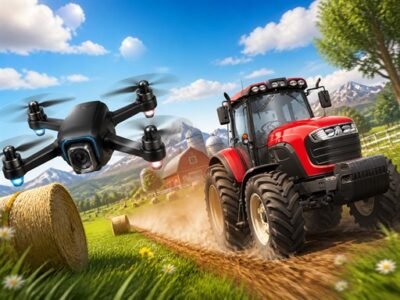
Drone vs Tractor Challenge is a 3D flying game set on a farm. Pilot a small drone around fields and barns, complete objectives and keep clear of the big tractors and farm obstacles that can knock you out of the sky.
About Drone vs Tractor Challenge
Drone vs Tractor Challenge is a free 3D flying game set on a busy farm. You pilot a small drone around fields and barns, complete flying objectives and try not to get knocked out of the sky by big tractors and farm obstacles that are always on the move.
It is a fun change from driving games: instead of staying on the road, you control height as well as direction, so every mission is about smooth flying and good timing. The colorful countryside levels and simple controls make it easy to start, and it runs instantly in your browser on PC or mobile.
Flying tips
- Gain a little height before crossing a field. It gives you more room to avoid tractors.
- Move in short, controlled bursts. Small drones are easy to overshoot with long key presses.
- Watch where tractors are heading, not just where they are, and pass behind them.
- Follow the objective markers closely so you do not waste time flying around the farm.
Controls
FAQ
Is Drone vs Tractor Challenge free?
Yes. It is free to play on PiikoPlay with no download.
Can I play on mobile?
Yes. The game supports touch controls in mobile browsers.
What is the goal?
Complete each flying mission on the farm without crashing into tractors or obstacles.
Like this kind of game? Browse more simulation games and 3D games.
See all our picks in the best simulator games list.
How to play Drone vs Tractor Challenge
- Fly forward, back and sideways with WASD.
- Change altitude with the indicated keys or buttons.
- Follow the objective markers.
- Keep your distance from moving tractors.
- Complete each mission without crashing.
Controls
Use WASD or the arrow keys to move. Use the on-screen controls or the indicated keys to change altitude and perform actions.
Features
- Drone flight controls
- Colorful countryside levels
- Moving tractor hazards
- Varied objectives
- Keyboard and touch support
Game information
- Categories
- 3D, Simulation, Skill
- Provided by
- GameMonetize
- Platform
- Web browser (HTML5)
- Added
Drone vs Tractor Challenge is developed by a third-party studio and remains the property of its owner. PiikoPlay embeds the game for free play and does not claim any rights to it. Copyright questions?